
「
Visual Fish Finder
」
Official Warranty
Full-process quality control escort · Standardized B2B warranty · ODM customized exclusive after-sales guarantee

Raw Materials
Quality Inspection

Production
Inspection

Finished Product
Full Inspection

Outbound
Random inspection
Standard Warranty Policy Module
Return and Exchange Policy
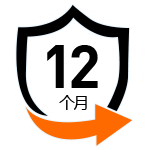
Warranty period

Warranty coverage
extensive

Exclusive for B-side
Free perks
OEM/ODM Custom Exclusive Warranty

General Benefits

Private Custom Exclusive Protection

Custom After-Sales Support
Region Lock
Exclusive
Agency
Agency
The factory promises not to authorize a second partner in the same region, ensuring exclusive operational rights in the area.
Region
Independent Pricing
Independent Pricing
The factory formulates independent regional supply prices and guiding prices based on the market environment, logistics costs, and tariff policies of different countries and regions, ensuring the stability of the price system in each region.
Price
Guaranteed
Guaranteed
For long-term contracted and exclusive agency clients, the factory provides phased price protection guarantees. If the factory uniformly adjusts the regional supply prices, corresponding compensation measures such as price difference subsidies and replenishment discounts will be provided for cooperative inventory orders, ensuring that clients do not incur inventory losses.
Violation
Penalty
Penalty
For partners who engage in price disruption, low-price parallel trading, or undermine the pricing system, the factory will implement control measures such as warnings, suspension of supply, cancellation of warranty rights, and termination of cooperation, in order to safeguard the common interests of all partners.
Maintenance Instructions
Lens cleaning (important)
| Cleaning steps | Operation method | Precautions |
|---|---|---|
| Dust removal | First use a blower/air bulb to blow off surface dust from the lens | Avoid wiping directly with a cloth to prevent scratching the coating |
| Wiping | Use a microfiber lens cloth, gently wipe clockwise from the center outward | If there are fingerprints/oil stains, apply a small amount of lens cleaning solution |
| Stubborn stains | Use professional lens cleaning wipes (e.g., Zeiss wipes) | Avoid using generic cleaners with unknown ingredients |
Important reminder: Clean the fish finder lens regularly. Keeping it clean ensures clear underwater images and prevents misjudgment caused by dirty lenses.
Waterproofing & moisture protection
After use: After each removal from water, wipe the unit and lens dry with a soft cloth to avoid water residue.
Moisture-proof storage: When not in use for a long time, store in a dry cabinet with humidity controlled at 40%~50% to prevent lens fungus.
Avoid temperature differences: When moving from a cold environment to a warm indoor space, let the device acclimate to the temperature before powering on to prevent internal condensation.
 More
More
FAQ
Q1
Where's your factory located?
●Our factory is situated in Huizhou, Guangdong Province, China. Covering an area of 3,600㎡, it integrates R&D, production, and quality inspection. We welcome customers to visit the factory with advance appointment, and can arrange professional translators and production line tours.
Q2
What payment methods do you take?
●We support multiple international payment methods: T/T Telegraphic Transfer , Credit Card, PayPal, Western Union,L/C, and D/P. For bulk orders over 500 units, installment payment can be negotiated.
Q3
Are you a factory or a trading company?
●We are the original inventor of underwater fishing cameras, integrating R&D, design, production, and sales. We hold global patents and trademarks, are certified as a National High-Tech Enterprise, and have been selling our products worldwide for 18 years.
Q4
Can you tell me a bit about your company?
●We are the original inventor of underwater fishing cameras, integrating R&D, design, production, and sales. We hold global patents and trademarks, are certified as a National High-Tech Enterprise, and have been selling our products worldwide for 18 years.
Q5
Do you have a product catalog I can look at?
●Yes, we have a detailed English product catalog including product parameters, specifications, high-definition pictures. You can contact our customer service via Alibaba Wangwang or email, and we will send the electronic version (PDF format) to you within 24 hours.
Q6
Got any certifications I can see?
●Our products have obtained multiple international certifications: CE, FCC, RoHS, IP68 Waterproof Certification, and ISO9001 Quality Management System Certification. We can provide electronic copies of all certification documents for your verification. If required, we can also arrange for third-party testing agencies to issue additional reports.
Q7
Are your products good for wholesale and retail?
●Absolutely. Our products are designed for both wholesale and retail: ① Wholesale: Minimum Order Quantity (MOQ) is 100 units, with tiered pricing (the more you order, the lower the unit price); ② Retail: We support small-batch retail orders (≥1 unit) for sample testing or small-scale sales. The packaging is suitable for individual retail (each product comes with a color box, manual, and warranty card).
Q8
What are these products usually used for?
●Our visual fish finders are mainly used for: ① Recreational fishing (freshwater: lake, river, reservoir; saltwater: sea fishing, coastal fishing; ice fishing in cold regions); ② Aquaculture (monitoring fish growth, pond bottom conditions, and feeding effects); ③ Underwater exploration (checking underwater structures, reefs, sunken objects, etc.); ④ Fishing tackle retail
Q9
Attending any trade shows soon?
●We regularly participate in international trade shows to enhance brand exposure, including: ① CES (Las Vegas, USA) – January every year; ② ICAST (Orlando, USA) – July every year; ③ China Import and Export Fair (Canton Fair) – April/October every year; ④ EuroFish (Hamburg, Germany) – September every year. You can meet our team at the shows to discuss cooperation and check physical samples.
Q10
What are your price terms (e.g., FOB, CIF)?
●We support flexible price terms to meet different logistics needs: ① FOB Shenzhen/Hong Kong: The seller is responsible for delivering the goods to the designated port and clearing export customs; ② CIF (Cost, Insurance, Freight): The seller is responsible for transportation and insurance to the destination port; ③ DDU/DDP: The seller is responsible for delivering the goods to the buyer's designated address (DDP includes customs duties). You can choose the most suitable term based on your location and logistics capabilities.
More
Hi
What can we do for you?
One-stop custom services

 qinyan
Chat now!
yunrou
Chat now!
muling
Chat now!
ruoxi
Chat now!
jingshu
Chat now!
qinyan
Chat now!
yunrou
Chat now!
muling
Chat now!
ruoxi
Chat now!
jingshu
Chat now!